
Electronic entry and exit ticket
E-Ticket for families and groups
A practical guide to completing the Dominican Republic e-Ticket for families and groups, including when to submit together and when to file separately.
13 min read
One of the quieter advantages of the Dominican e-Ticket is that it lets you add travel companions from the same family group to a single submission. You do not need to start the form again for every passenger. Used well it saves real time. Used carelessly it creates confusion at the counter.
In brief: the form accepts multiple companions under one submission. That is the natural choice for a family on the same flight staying at the same address. Once flights, dates or hotels differ, separate submissions are safer. Every minor, infants included, needs their own passport.
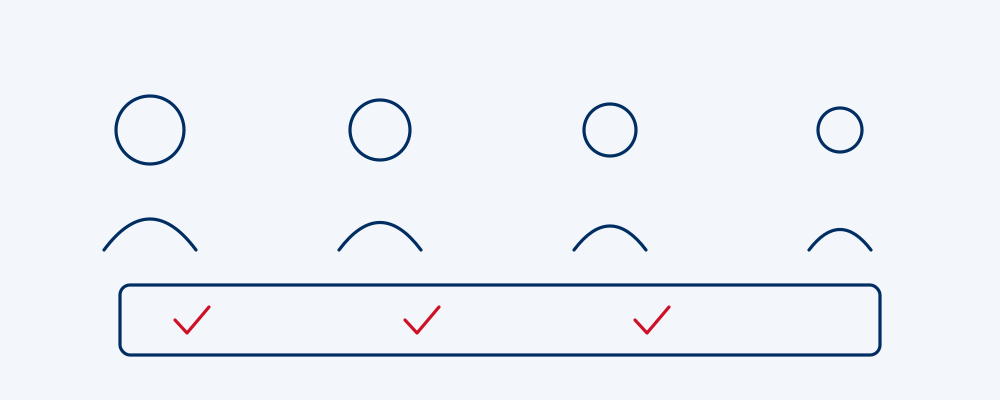
What "one submission for several people" actually means
Early in the form you indicate whether you are travelling alone or with others. Choose the group option and the system will collect each companion's details within the same process.
This does not merge identities. Every person keeps their own personal details and their own passport number. What is shared is everything about the trip: flight, dates, accommodation address, mode of transport, and the customs and health declarations.
Hence the rule, which is as simple as it sounds: group together the people who share the exact same journey.
Summary: a joint submission shares trip data, never passenger identity.
When a joint submission makes sense
Grouping is the right call when all of the following are true:
- Everyone is on the same flight number, outbound and return.
- Everyone arrives and departs on the same dates.
- Everyone stays at the same address.
- Everyone enters through the same airport: Punta Cana (PUJ), Las Americas in Santo Domingo (SDQ), Cibao in Santiago (STI), Puerto Plata (POP), La Romana (LRM) or El Catey in Samana (AZS).
- There is one responsible adult able to hold everyone's codes.
The textbook case: a family flying out of Newark on a single booking, staying twelve nights at one resort in Bavaro, returning together. One submission, one process, all codes at once.
Summary: identical flight, dates, address and airport are the signal that a joint submission fits.
When separate submissions are better
Splitting is not a failure. Often it is simply correct:
- Someone arrives on a different flight, which is common when relatives fly in from Toronto and Miami on the same weekend.
- Someone stays longer or heads home early.
- The group is split across two hotels, typical for weddings.
- One traveller has a particular immigration situation and prefers to handle their own record.
- The group is large enough that working in smaller units is simply more manageable.
Worth knowing: a joint submission where the details do not truly apply to everyone is worse than several separate, accurate ones. Convenience never outweighs an inconsistency at the counter.
Summary: the moment flight, dates or accommodation stop matching, file separately.
Minors and infants
The most common question has a firm answer: an infant needs an e-Ticket too. There is no minimum age. A three-month-old travelling on a lap is a passenger just like their mother.
What each minor requires:
- Full name exactly as it appears on their passport, unabbreviated.
- Their own passport number. Children need individual documents; appearing on a parent's passport is not sufficient.
- Date of birth.
- Nationality and country of residence.
- The same flight and accommodation details as the responsible adult.
A minor supplies no email address and signs nothing. The adult making the submission covers all of that.
If a child is travelling with one parent only, or with someone who is not a parent, prepare any consent documentation your home country and airline require. That paperwork is not uploaded to the e-Ticket, but it can be requested at the airport.
Summary: every minor including infants needs an e-Ticket and an individual passport; the responsible adult enters the data.
Table: traveller type and how to include them
| Traveller type | How to include them | Specific data | Notes |
|---|---|---|---|
| Couple on the same flight | Joint submission | Each passport | The simplest case |
| Lap infant | Inside the adult's submission | Own passport, date of birth | No age exemption |
| Minor | Inside the responsible adult's submission | Own passport | Consent paperwork separately if needed |
| Minor with one parent | Joint with that parent | Own passport | Keep consent letter accessible |
| Family with different surnames | Joint submission, no issue | Each surname as printed | No shared surname required |
| Grandparents joining the family | Joint if flight and hotel match | Own passport | Separate if arriving another day |
| Friend on a different flight | Independent submission | Their own flight data | Never force them into the group |
| Wedding party | Split by household | Each household's hotel | Usually several properties involved |
| Large organised tour | Submissions in manageable units | Coordinate from a central list | Verify one by one |
| Crew or business travel | Follow employer instructions | Work details if requested | Check the official portal |
| Traveller with reduced mobility | Same as any traveller | No extra mandatory fields | Notify the airline separately |
| Cruise passenger | Own or family submission | Port and vessel as transport | Sea arrivals are covered too |
Summary: the test is always the same: group the people who share the actual trip, not the people who share a family name.
Families with different surnames
North American travellers ask about this constantly, and blended families make it even more common.
The form does not require members of a group to share a surname. You can group a blended family, an unmarried couple, a parent with children carrying two different surnames, or a set of friends travelling together.
The only thing that matters is that each name matches the passport letter for letter. No shortening a hyphenated surname, no dropping a middle name that appears on the document, no anglicising anything. The passport is the reference, always.

Summary: different surnames are no obstacle; exact passport matching is non-negotiable.
Who should be the responsible submitter
The submitter is the person whose email address is attached to the submission and who receives the confirmation and codes. Choose deliberately:
- It must be an adult who is actually travelling.
- They need email access from a phone in transit, not only from a home computer.
- Ideally they are the person carrying the documents at the airport.
- Comfort with digital tools helps, especially if the group includes older relatives.
A frequent mistake: an adult child at home submits for their travelling parents using their own email. If a code needs retrieving at eleven at night in Bavaro, the travellers have no access.
Summary: the submitter should be a travelling adult with phone access to the confirmation email throughout the trip.
Large groups and organised travel
Twenty, forty or a hundred passengers changes the calculation. Packing everyone into one enormous submission is tempting and unwise.
A workable approach:
- Break the group into households or hotel rooms.
- Name a responsible person per unit, with their own email.
- Collect passport details centrally in a spreadsheet and check them before starting.
- Complete submissions in batches, not in one marathon session.
- Record each confirmation number in the same spreadsheet.
- Verify that nobody was missed before closing the process.
If you are an agency or a tour operator, mind the timing. The e-Ticket should be completed before reaching the airport, up to 72 hours before travel. With a large group, starting early is not caution, it is basic logistics.
Summary: manage large groups by household, each with its own submitter and a central record of confirmations.
Honeymoons and destination weddings in Punta Cana
Punta Cana hosts an enormous number of destination weddings from the US and Canada, and the e-Ticket has two quirks worth flagging.
The first concerns the newlyweds. If the passport still shows a maiden name, the e-Ticket must show the maiden name. The form reflects the document, not the marriage certificate. Entering a new married surname before the passport has been reissued is one of the most avoidable mismatches there is.
The second concerns the guests. A wedding party rarely shares one flight, one hotel and one set of dates. Some arrive three days early, some stay a week longer, some book a different resort entirely. Submit by household and let the organiser track who has completed theirs.
Summary: use the passport name at weddings and submit by household rather than as one block.
Sharing and storing the group's QR codes
Completing the submission generates the QR code presented at immigration. With several passengers, plan how it gets distributed.
Practical advice:
- Keep a digital copy on the submitter's phone and a second copy on another phone in the group.
- Print at least one paper set. Paper does not run out of battery.
- Send each adult their own code by message so nobody depends on a single person.
- Download it as a file rather than leaving it inside an email thread. Airport connectivity is unreliable.
- Save the confirmation number as well, since that is what allows retrieval.
- Remember you need a new e-Ticket for departure, so repeat the process before the flight home.
One rule for families with teenagers: never make the whole group dependent on a minor's phone battery.
Summary: duplicate the codes across devices, print one set, and keep the confirmation number safe.
What this service is and is not
We are an independent paid assistance agency. We prepare, review and verify submissions, which is most useful when there are many passengers and many passports to cross-check. We are not the General Directorate of Migration and we are not the Dominican government.
The procedure on the official portal is free and mandatory for all nationalities, on entry and on exit alike. If you would rather do it yourself, this article was written so that you can.
Summary: the e-Ticket is free on the official portal; our assistance is optional and paid.
Keep reading
- What is the Dominican Republic e-Ticket
- How to fill the Dominican e-Ticket
- Dominican e-Ticket requirements
- Dominican e-Ticket QR code
- The customs declaration inside the e-Ticket
Key points
- The e-Ticket allows several companions from one group in a single submission.
- Only group people whose flight, dates, address and entry airport all match.
- Every minor, infants included, needs an e-Ticket and their own passport.
- Different surnames are fine; exact passport matching is mandatory.
- The submitter should be a travelling adult with email access on the road.
- Duplicate and share the QR codes, and do not forget the departure e-Ticket.
FAQ about the Dominican e-Ticket for families and groups
Can I include my whole family in one e-Ticket?
Yes, provided you share the same flight, the same dates and the same accommodation. The form is designed to accept several companions in one submission.
Does an infant need their own e-Ticket?
Yes. There is no minimum age. The infant is included within the responsible adult's submission but appears as a passenger with their own passport and date of birth.
Do minors need individual passports?
Yes. Every child entering the Dominican Republic needs a valid passport of their own, and that number is what goes into the form.
What if my partner and I have different surnames?
Not a problem. The system does not require a shared surname. Enter each name exactly as printed on the passport, without abbreviations or adaptations.
Who should submit for the group?
An adult travelling with the group who has phone access to their email throughout the trip and who is carrying the documents at the airport.
Does everyone get their own QR code?
The submission generates the codes for the group. Distribute them so each adult has their own available, and keep a printed copy as backup.
We are forty people for a wedding, should we submit together?
Better not. Split by household or hotel room, name a responsible person for each, and keep a central record of who has completed their submission.
I just got married, which surname do I use?
The one on your current passport. If the document has not been reissued yet, the e-Ticket must show the maiden name so everything matches.
Can I add someone to a submission after sending it?
The safer route is a fresh submission for that person rather than trying to alter one already issued. Check the current procedure on the official portal of the General Directorate of Migration.
Does the group need another e-Ticket to fly home?
Yes. Entry and exit are separate procedures, so before the return flight the process has to be repeated for every member of the group.
Last updated: July 2026. Immigration rules change; always confirm current requirements on the official portal of the General Directorate of Migration before you travel.